
🚀 Caddy Gateway: The Ultimate Answer for a Hybrid-Cloud Homelab
After several iterations, I built a hybrid network architecture based on Mac Mini (OrbStack) + VPS (FRP) + Cloudflare. With Caddy Gateway as the unified entry point, it achieves intelligent traffic tiering and efficient management.
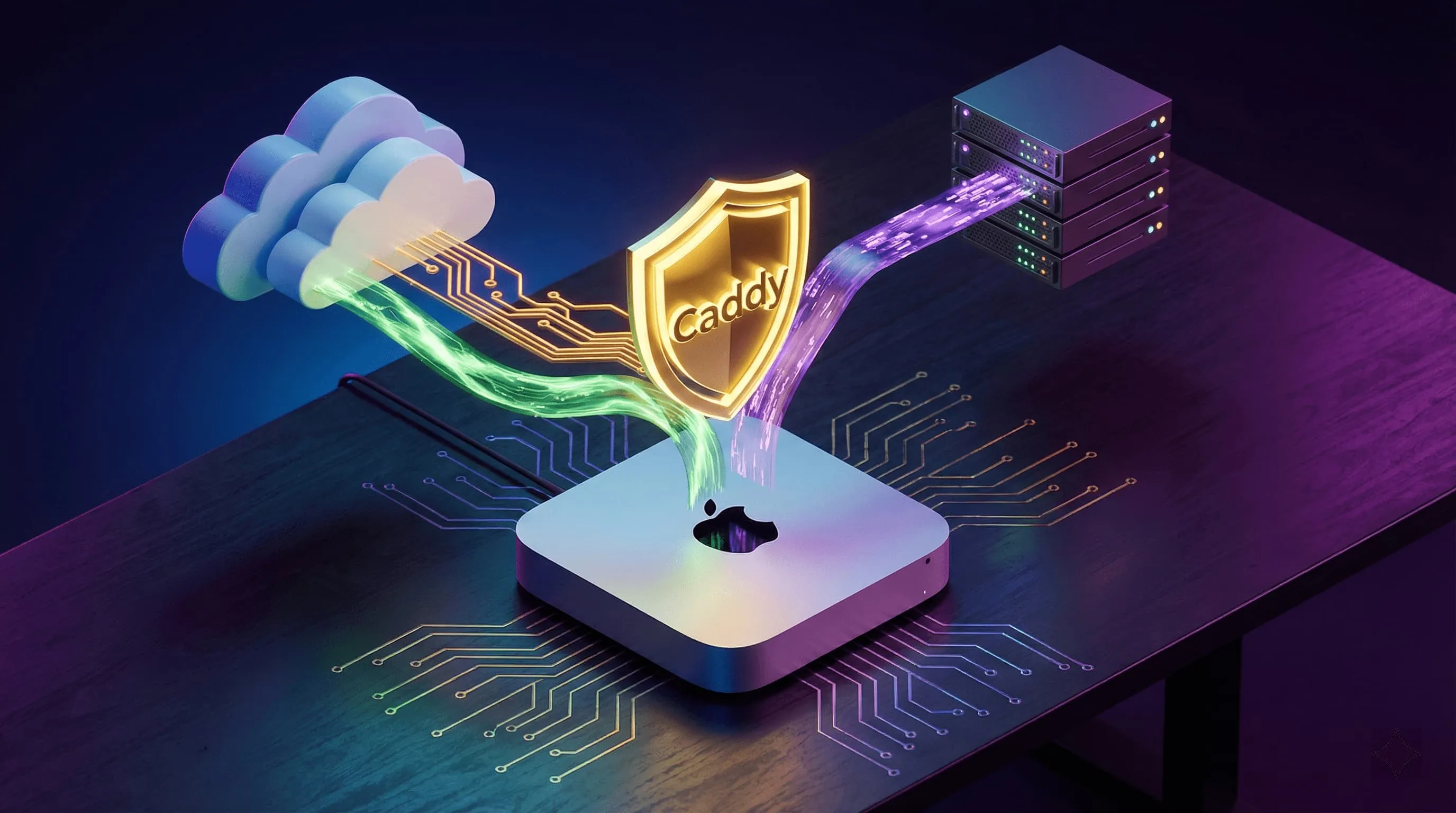
While tinkering with a home lab (Homelab), we often face a dilemma: should services live at home to take advantage of high-performance hardware (but be limited by home broadband and a dynamic IP), or on a cloud VPS to enjoy a stable network (but be limited by high storage and compute costs)?
My answer: I want it all.
After several iterations, I built a hybrid network architecture based on Mac Mini (OrbStack) + VPS (FRP) + Cloudflare. With Caddy Gateway as the unified entry point, it achieves intelligent traffic tiering and efficient management.
🛠️ Core Hardware and Environment
- Main server (headless): Mac Mini (M-series chip)
- Runtime environment: OrbStack (lighter and more efficient than Docker Desktop)
- Load: runs 30+ Docker containers (Caddy, Nuxt, Jellyfin, Umami, etc.)
- Compute/gaming node: Windows PC
- Normally asleep, woken via UpSnap on the Mac (WoL), used for high-load tasks or gaming.
- Cloud node: ClowCloud VPS
- Serves as the fixed public entry point and the FRP server.
🗺️ Full Network Topology
This is my current network diagram, clearly showing how traffic flows from the internet into my internal services:
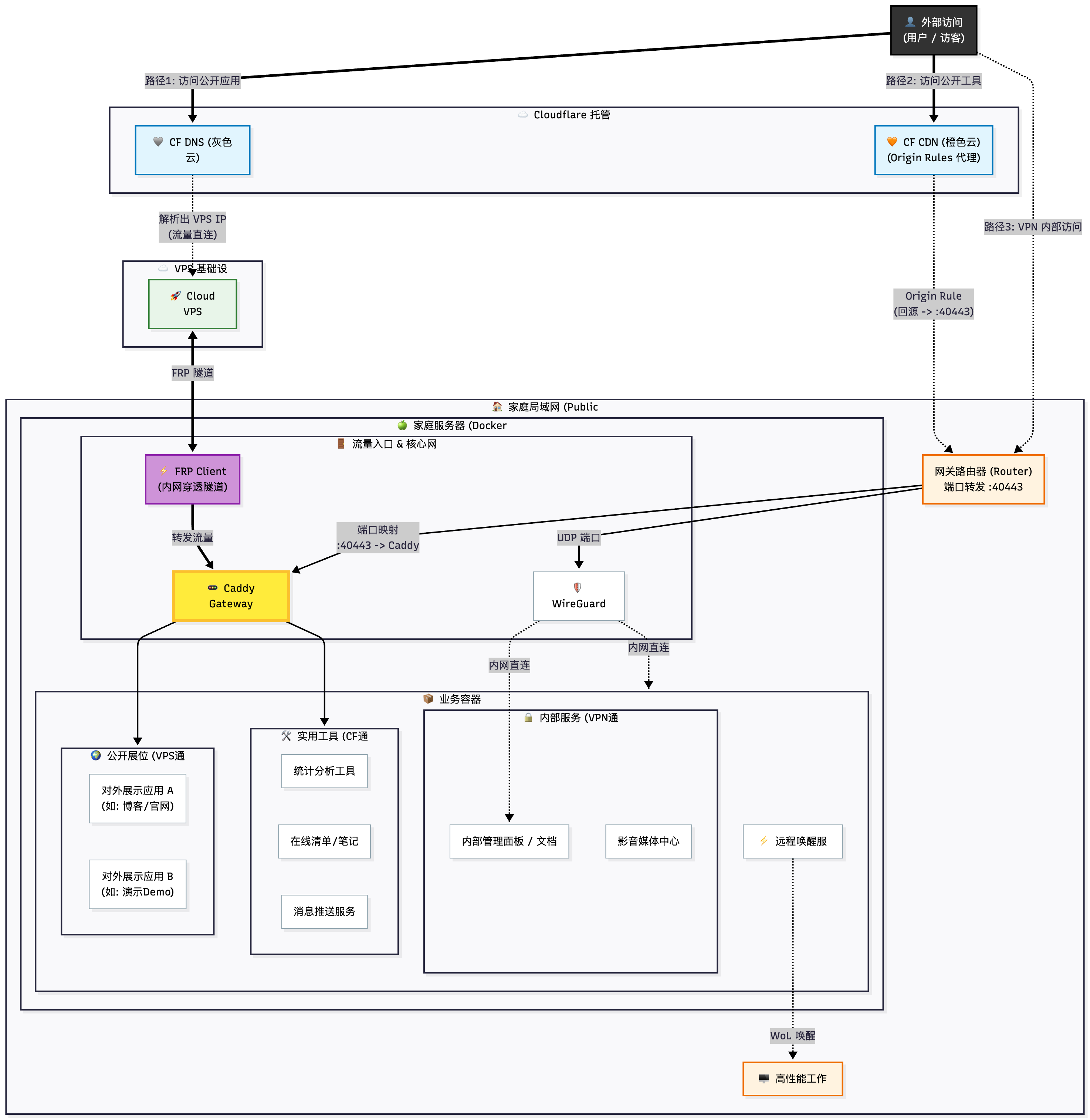 The design philosophy behind three “traffic lanes”
To balance speed, privacy, and stability, I split traffic into three categories, each taking a different path:
1. VIP Stable Channel (VPS + FRP)
- Path: User → CF DNS (grey cloud) → VPS → FRP Tunnel → Caddy → App
- Applicable services:
public-facing apps(blog/official site) - Design rationale:
- These are the public-facing showcase apps, where stability comes first.
- By relaying through the VPS, even if the home connection drops or the IP changes, users can still resolve to the VPS; combined with Caddy’s error pages or caching, the experience is better.
- Cloudflare is used here only for DNS resolution (proxy off), reducing one layer of latency.
2. High-Speed Utility Channel (Cloudflare CDN + Origin Rules)
- Path: User → CF CDN (orange cloud) → Router (:40443) → Caddy → App
- Applicable services:
Umami(analytics),OpenList(list),Gotify(push) - Design rationale:
- These are utility tools that need bandwidth but should not expose the real home IP.
- The key breakthrough: As everyone knows, home broadband usually blocks ports 80/443. I use Cloudflare Origin Rules to change the origin port to a high port (such as
40443), bypassing the ISP’s restriction and connecting directly back to the home public IPv4. - This way I enjoy CDN acceleration and protection while getting the home bandwidth for free.
3. Admin Privacy Channel (WireGuard VPN)
- Path: User → WireGuard → Home Network
- Applicable services:
Jellyfin(media),MoviePilot,DPanel,Stirling PDF - Design rationale:
- “Heavy” services involving privacy or copyright, or that don’t need public access, are never exposed.
- Connecting home via WireGuard is just like sitting on the LAN — you can access all services directly through their internal IPs.
🗝️ Architecture Core: Caddy Gateway
In previous versions I used Nginx Proxy Manager (NPM). But in the current architecture, Caddy shows unparalleled advantages:
- Unified entry point: Whether traffic comes from the VPS’s FRP tunnel or from port 40443 on the router, it all converges on the Caddy container.
- Automatic HTTPS: Caddy automatically requests and renews certificates for all subdomains, saving you the certificate errors that NPM often runs into.
- Concise configuration: With
dpanelor a simpleCaddyfile, reverse proxy configuration is done. - Native support for advanced features: In the past, implementing IP rate limiting or authentication in NPM usually meant hand-writing obscure, error-prone Nginx config snippets (Advanced Config). Caddy, however, has built-in directives such as
rate_limit,basic_auth, andforward_auth; a single line of code easily adds rate limiting or unified login verification to internal services — elegant and secure.
📝 Summary
The greatest strength of this architecture is its flexibility. It doesn’t put all its eggs in one basket:
- What you want to show the world goes through the VPS tunnel.
- The tools you use every day go through Cloudflare acceleration.
- Private data stays behind closed doors over the VPN.
If you also have an idle Mac or PC, why not try building a similar hybrid-cloud Homelab with OrbStack + Caddy, and experience the joy of keeping your data in your own hands.
Comments